A Rapid Rescore is used to fix incomplete, missing, or questionable data on tradelines and public records. Unlike Supplement requests, this change is made at the bureau level and will be reflected on any future credit report pull. The instructions below explain how to order a rapid rescore on our CISCO web portal.
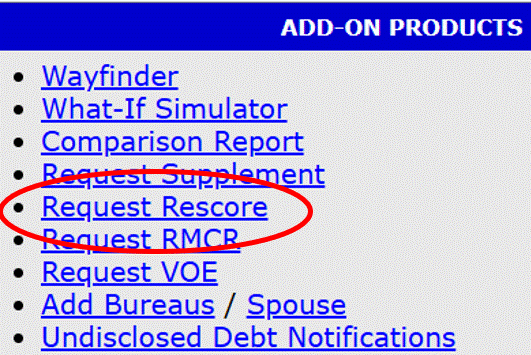
If the ability to order rapid rescores has been enabled for you, there will be a link under Add-on Products on the right of the credit file screen.
1. Click on the link that says Request Rescore.
2. This will open a new window, which will list out all the available tradelines and public records.
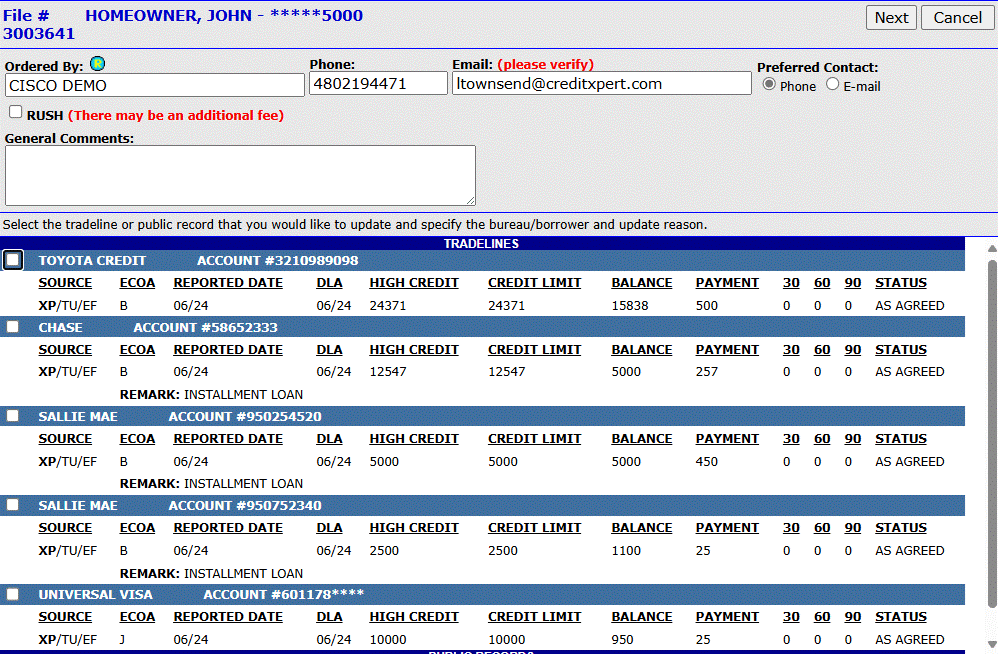
3. Select the specific tradeline you wish to request a rapid rescore on by selecting the checkbox to the left.
4. The window will expand to reveal more options.
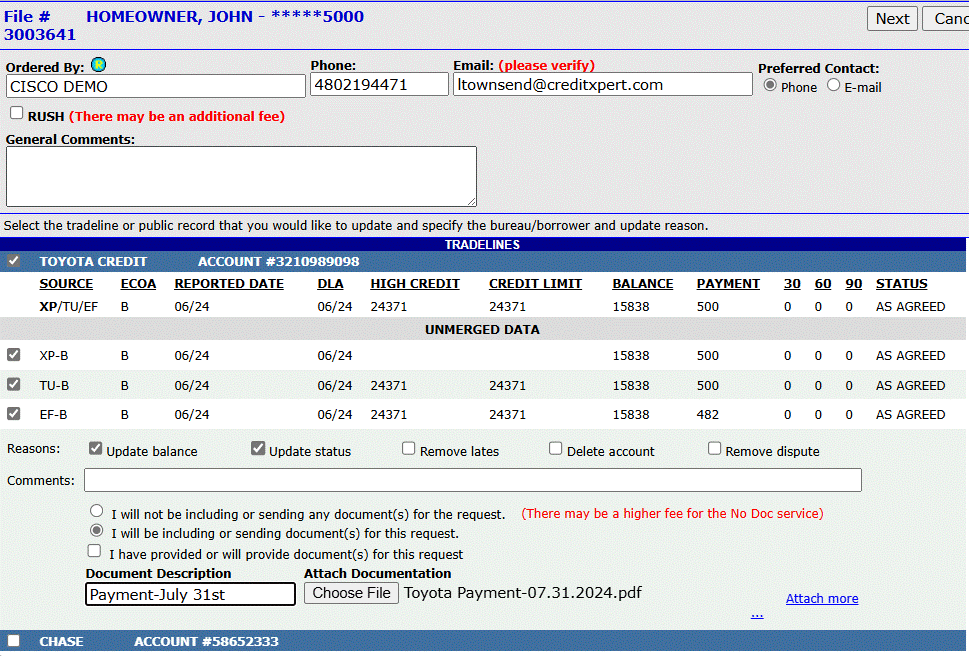
5. You must provide three sets of information to submit the request: Bureau, Reason, and Document Method.
6. If you select Other as a reason you must provide a comment.
7. The option to not include documents is a feature that will add additional charges for the request. To attach documents, select Choose File, and put in a document description. Note: Files must be in PDF format.
8. Just like supplement requests, you can select multiple tradelines to submit at once. Once you have finished putting in your information, select Next at the top-right of the window.
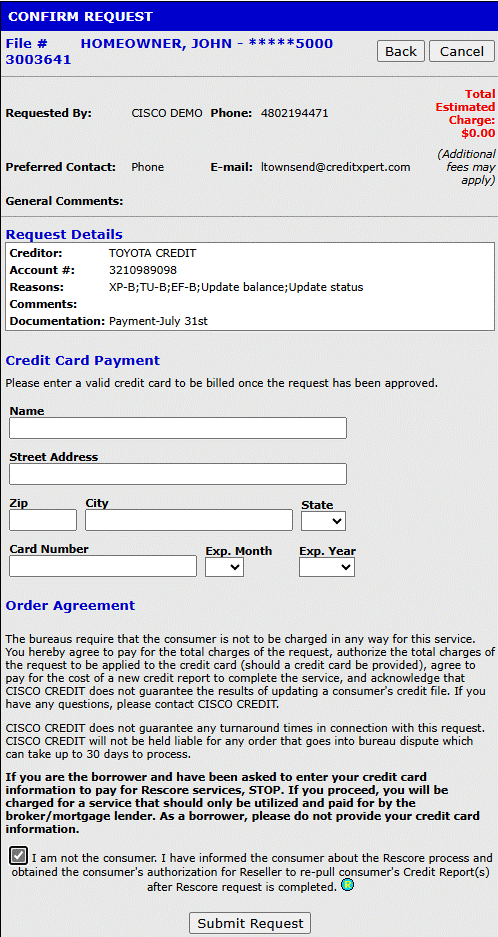
9. The last step is to confirm the request. The total fees will be displayed, and you can choose to put in a credit card at the time of ordering. This isn't required unless your company account is set to require a credit card at the time of ordering. The card will not be charged until the request has been completed.
Rescores usually take three (3) to five (5) business days to complete. Rush rescores usually take between two (2) and three (3) business days to complete.
Rescores can also be requested by filling out this Rescore Form and sending it to support@ciscocredit.com after it's been completed.
Follow this link for more CISCO Credit Knowledgebase articles.
Was this article helpful?
That’s Great!
Thank you for your feedback
Sorry! We couldn't be helpful
Thank you for your feedback
Feedback sent
We appreciate your effort and will try to fix the article