To create an unmerged report and file, open the file in our web portal and deselect the borrower or co-borrower that you wish to omit in the UNMERGE REPORT area. This method can be used for unmerging bureaus as well.
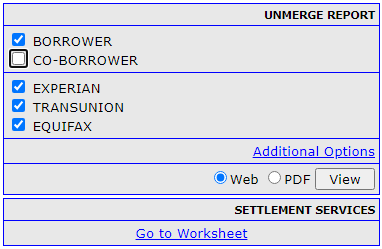
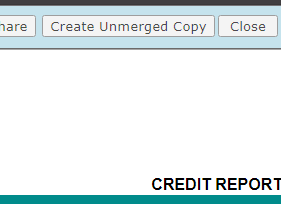
Next, select a Web-based report and press the View button. When the credit report opens in a new window, select "Create Unmerged Copy" in the upper-right hand corner of the screen. After processing, you will now have an individual credit report for the borrower you've requested which can be used for automated underwriting .
Please note that you must have selected either the borrower or the co-borrower and at least one bureau.
Follow this link for more CISCO Credit Knowledgebase articles.
Was this article helpful?
That’s Great!
Thank you for your feedback
Sorry! We couldn't be helpful
Thank you for your feedback
Feedback sent
We appreciate your effort and will try to fix the article